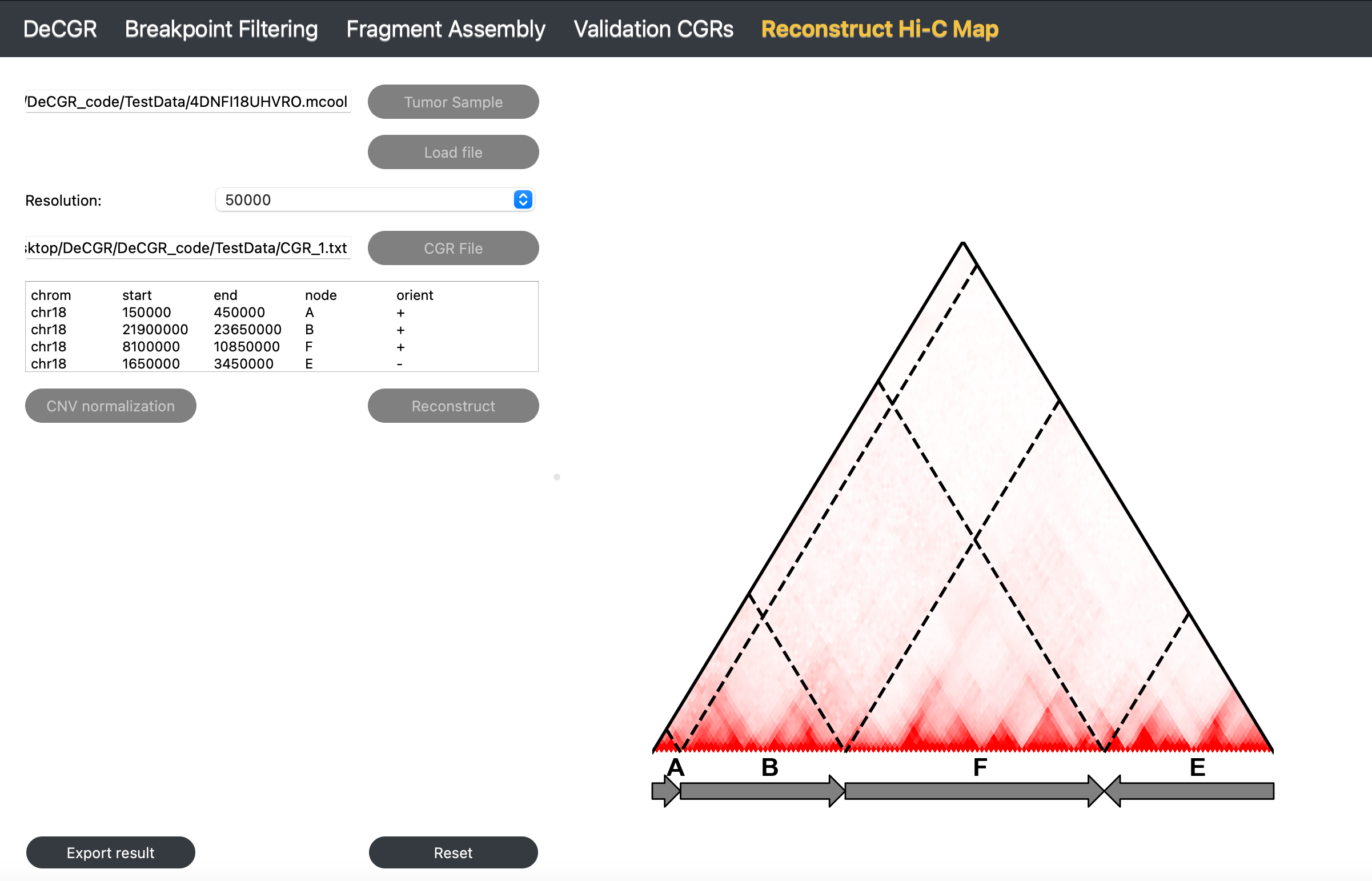
Reconstruct Hi-C Map
The Reconstruct Hi-C Map module generate a reconstructed Hi-C map based on the identified CGR event.
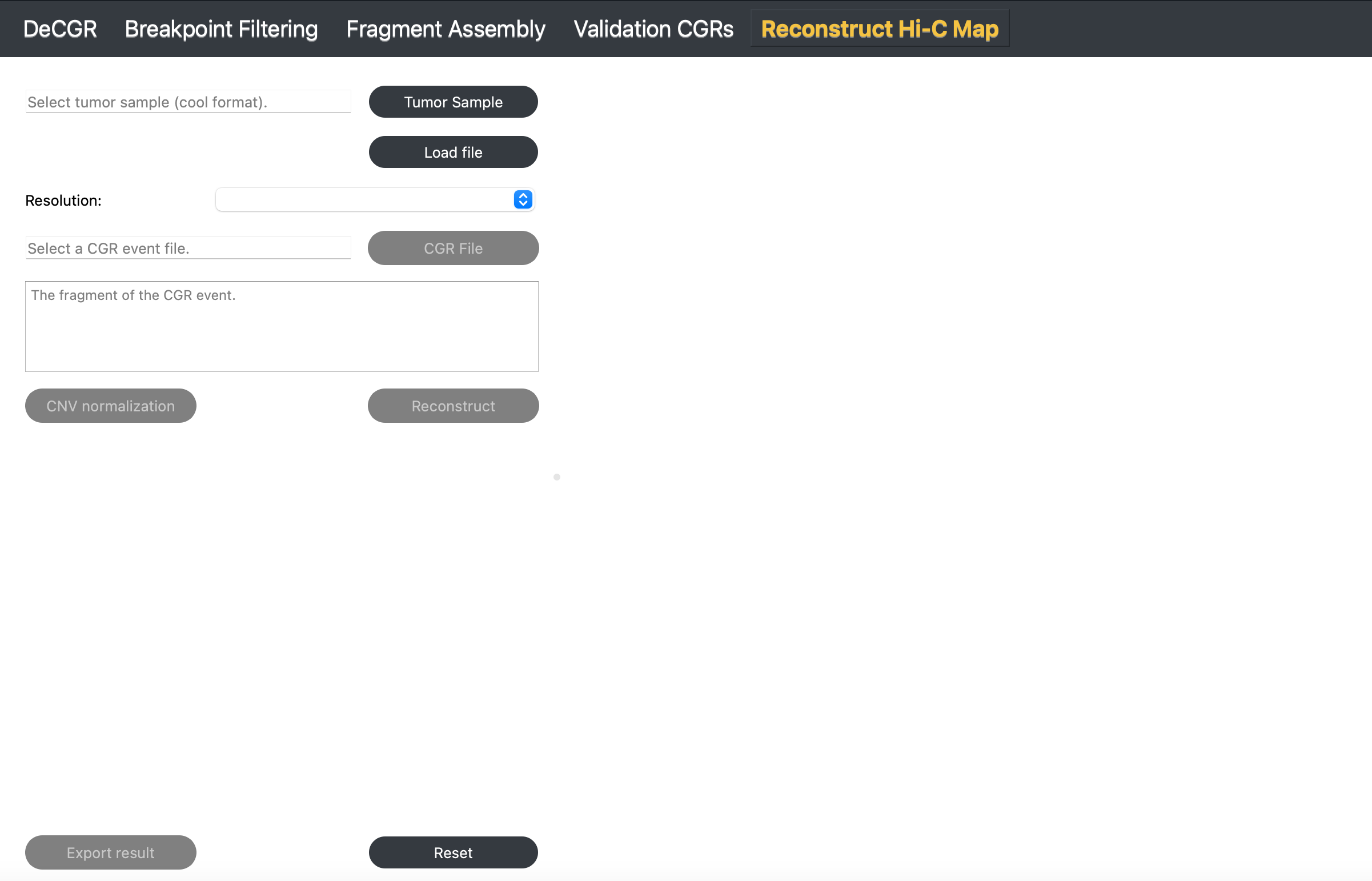
Inputs
The input files for this module need to provide the following:
A tumor Hi-C sample in mcool or cool format.
A CGR file, which contains a CGR event, is formatted as follows:
haed K562_chr18_CGR.txt
chrom       start   end     node    orient
chr18       150000  450000  A       +
chr18       21900000        23650000        B       +
chr18       8100000 10850000        F       +
chr18       1650000 3450000 E       -
Guideline
Step 1: Load Tumor Sample
Click Tumor Sample to select a tumor Hi-C file, and then click Load to import the file.
Step 2: Select Resolution
Once the Hi-C file is loaded, use the Resolution dropdown menu to choose the desired resolution.
Step 3: Load CGR Event File
Click CGR File to select a file containing a CGR event.
Step 4: CNV normalization (To better visualization)
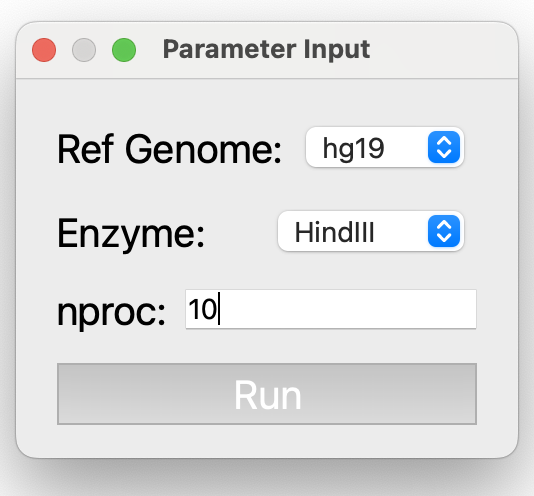
Click CNV Normalization. In the popup window, select the reference genome and enzyme for the Hi-C sample, and adjust nproc based on available computational resources.
Parameter Descriptions (for detailed information, see NeoLoopFinder):
Ref Genome: The reference genome used for mapping the Hi-C data. Supported genomes include: hg38, hg19, mm10, and mm9.
Enzyme: The restriction enzyme used in the Hi-C experiment. Supported enzymes include: HindIII, MboI, DpnII, BglII, Arima, and uniform. Use uniform if the genome was digested with a sequence-independent or uniformly cutting enzyme.
nproc: The number of processing threads to use, specified as an integer (e.g., 10).
Step 5: Reconstruct Hi-C Map
Click Reconstruct to generate a reconstructed Hi-C map.
Step 6: Export Results
Click Export Result to export the reconstructed Hi-C contact matrix.
To reinitialize the module, click Reset.
Output