Validation CGRs
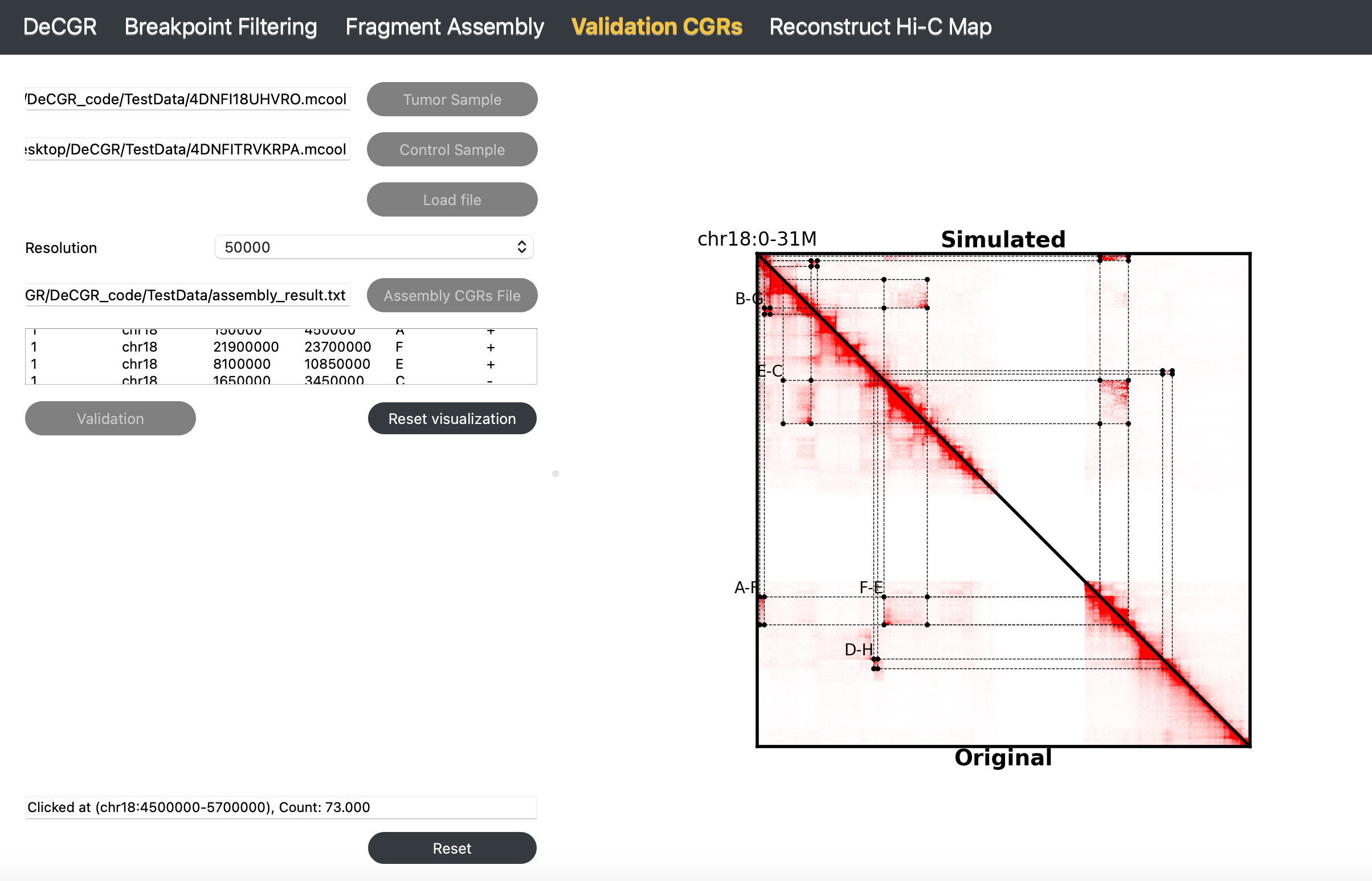
The Validation CGRs module allows users to verify the completeness and accuracy of the assembled CGRs.

Inputs
The input files for this module must include the following:
A tumor Hi-C sample in mcool or cool format.
A normal Hi-C sample in mcool or cool format.
A assembled CGRs file, which contains assembled CGRs events, is formatted as follows:
haed K562_chr18_assembly_result.txt
num chrom   start   end     node    orient
1   chr18   150000  450000  A       +
1   chr18   21900000        23700000        F       +
1   chr18   8100000 10850000        E       +
1   chr18   1650000 3450000 C       -
2   chr18   450000  800000  B       -
2   chr18   3450000 3850000 G       +
3   chr18   7450000 7700000 D       -
3   chr18   25900000        26500000        H       +
Guideline
Step 1: Load Tumor and Control Samples
Click Tumor Sample to select a tumor Hi-C file, then click Control Sample to select a normal Hi-C file. Click Load to import both files.
Step 2: Select Resolution
Once both Hi-C files are loaded, use the Resolution dropdown menu to select the desired resolution.
Step 3: Load Assembled CGRs File
Click Assembly CGRs File to select a file containing assembled CGRs results.
Step 4: Validate CGRs with Simulated Hi-C Map
Click Validation to generate a simulated Hi-C map. The results will display on the right, allowing you to visually compare abnormal interaction regions in the original and simulated Hi-C maps for validation.
Step 5: Reset Visualization for New Validation
Click Reset Visualization to load a new assembled CGRs file for validation.
To reinitialize the module, click Reset.
Output